
Wavetale
Thunderful Development2022Adventure, Platformer
2.2 GBBuild 9957664Updated 161 days ago
About Wavetale
Surf the waters of a submerged city! Unravel the past, save the islanders from mysterious sea monsters and discover secrets hidden under the surface.
MORE GAMES FROM THUNDERFUL
About the Game

Explore an open sea and the decaying archipelago of Strandville in Wavetale, a story-driven action-adventure game introducing you to fed-up fishermen, secretive hermits – and maybe a pirate or two. Traverse calm waters and surging waves as Sigrid, a young girl who befriends a mysterious shadow that provides her with the power to walk on water.
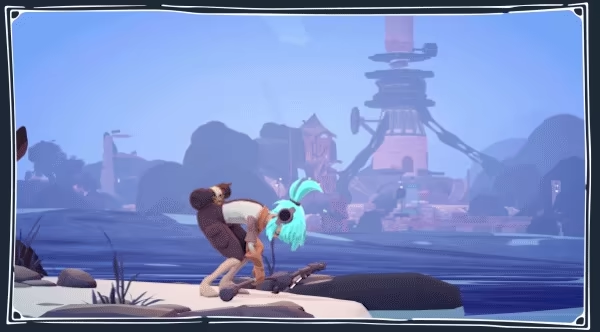
Speed through the waves, swing yourself from housetops with your net, and defeat an old nemesis to save the citizens of the islands. All with a bit of help from the shadows down below—and your cranky grandmother.


- Speed through the open sea and swing yourself between buildings in this fast-paced adventure
- Experience a heart-warming story about loss and reconciliation
- Make new acquaintances amongst Strandvilles diverse cast of islanders – from the charmingly cocky surfer girl to an old fisherman turned fashion designer
- Change your appearance with collectible hats, hair dyes and outfits
- Fill the pages of Sigrid’s scrapbook with special drawings to learn more about her world


From the store page, unedited. May contain spoilers.
This release
Reviews and playtime
Very Positive
88% of 2,670
The game
Genres and features
How to install Wavetale
Pre-installed, so there is no setup wizard. Follow these in order.
- 01
Create a games folder
Make a folder like C:\Games\ and keep every game in it. Avoid Program Files, Downloads and the Desktop.
- 02
Exclude it from Windows Defender
Defender often deletes cracked files by mistake while they extract. Add C:\Games\ as an excluded folder:
Windows Security -> Virus & threat protection -> Manage settings -> Exclusions -> Add an exclusion -> Folder
- 03
Download into C:\Games\
Save the archive straight into that folder. This release is one 2.2 GB file.
- 04
Extract it there
Use 7-Zip or WinRAR. Keep about 4.8 GB free while it unpacks.
- One file
- Right-click it -> Extract here.
- Several parts
- Extract only part1 (or .001). The other parts are read automatically.
- 05
Open README.html
It is inside the extracted folder and explains how to start the game.
Still stuck? Read the install help
Download
Set up your games folder and the Defender exclusion before you extract. The Install tab has the steps.
FileDitch
The whole game in one file
FileQ
The whole game in one file
Gofile (legacy)
The whole game in one file
We don't accept fix requests when only one host is down. Please use another mirror above. Links broken? Let us know.
We never password-protect files or hide installers. If a page asks for a password or payment, that is the host's ad, not us. See our safety guide.
System requirements
- Min
- WIndows 10
- Min
- Intel i3-4170 / Ryzen 3 1200
- Min
- 8 GB RAM
- Min
- Nvidia GTX 660 2GB / AMD RX 560
- Min
- Version 11
- Min
- 5 GB available space
These are the developer's listed requirements and may not be 100% accurate. If your specs fall below the minimum, try the game anyway; many games run fine below the listed requirements. When in doubt, check YouTube for performance benchmarks.